 DashFox
Choose by job, not by an overall “best app” label: offer decisions, mileage/expense records, or completed earnings and shift planning. A tool can do more than one, but that doesn't make every feature free, equally available on each phone, or a substitute for the others.
We make DashFox. This is a check of official listings, pricing and help pages—not a hands-on road test or an earnings study. Prices and platform details were checked November 8, 2026; verify your store and checkout before paying.
Start with the missing piece
- “Is this offer worth my time?” Look for offer pay/time/distance analysis. A projected hourly rate is not your final shift pay.
- “Where did all my driving and expenses go?” Look for trip recording, classification and usable exports. Check the free capture and reporting limits.
- “What did I make, and when should I work?” Look for earnings consolidation and planning tools. Historical or community figures aren't guaranteed future orders.
Before accepting: offer-decision tools
DashFox: DoorDash offer numbers on Android
DashFox shows $/hour and $/mile the second an offer pops up, so you can take it or skip it before the timer runs out. It's free to download and use, and Android-only. The decision stays yours; the site states that DashFox doesn't tap Accept or Decline for you. [1]
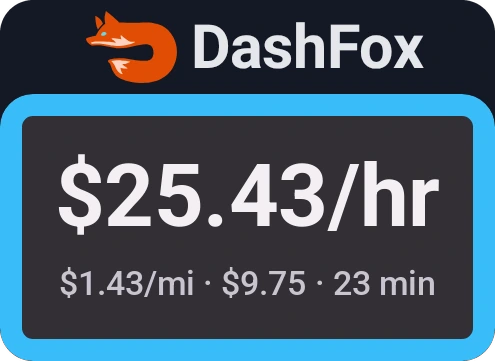
This is the offer-reading use case. An offer's estimated miles aren't automatically a complete business-mileage log, and its projected $/hour doesn't subtract car costs or include every idle minute. See how time, miles and costs fit together before treating a colour or a rate as an automatic yes.
GigU: broader advertised platform coverage
GigU's Android and iPhone listings both name DoorDash and advertise real-time per-mile/per-hour analysis with driver-set targets and colour grades. They also name other services, so it's worth examining if you work across apps. The phone-specific implementation still needs checking; an iPhone listing isn't proof of identical Android behaviour. [2]
Price catch: the listings advertise a current US free promotion, not a permanent free plan. Their stated promotion end dates differ, so check the terms for your platform. We haven't tested its integrations or established an earnings increase from using it. [2]
Earnings history and planning
Gridwise: a wider view across your work
Gridwise documents mileage, time, expenses, earnings comparisons and planning information. Its listings put automatic earnings downloads—including DoorDash—in Plus. That is a different job from reading a particular offer before you accept it; this review didn't establish a live DoorDash offer-grading feature. [3]
There are Android and iPhone listings and free/base access. The US iPhone description quotes Plus at $14.99/month or $107.99/year. Don't assume that channel's price or an unverified free-feature allowance applies to Android; check the plan you would actually buy. [3]
Solo: tracking plus scheduling, with conditions
Solo offers income/mileage tracking and planning on Android and iPhone. Its annual Basic option is US$96 billed yearly, advertised as an $8/month equivalent—not an $8 month-to-month subscription. Its FAQ describes a seven-day subscription trial and a Limited fallback if you don't subscribe; don't read “free download” as all features staying free. [4]
Smart Schedule and Pay Guarantee have plan, credit, supported-metro and work requirements. The guarantee requires more than simply going online: conditions include a saved schedule, linked accounts and completing the required work. Review those terms if that's the feature you want, rather than treating a prediction as unconditional hourly pay. [4]
Tipper: personal-history tools, installed directly
Tipper offers an Android sideloaded download, not a Play Store installation. Its download notes separate free recording and the informational offer line from subscription/trial-key analysis cards and maps. The homepage advertises a 30-day trial, then $9.99/month; the opened pages don't name the currency, so confirm it at checkout. [5]
Its history requirements matter. The notes say hourly offer estimates/strategy need at least 15 timed deliveries and 20 offers in the last 30 days, alongside the relevant settings and location permissions. Don't expect a fresh install to have those results. Its mileage card is described as a starting point, not a mileage log. [5]
Mileage and expense records
For these tools, ask two separate questions: will it capture the trips I need, and can I get the report I need? “Automatic,” “free” and “unlimited” can refer to different parts of the workflow.
Stride: free, with a manual-start habit
Stride's official app listing describes free mileage and expense tracking. Its help page is explicit that recording starts when you tell it to; reminders aren't the same as automatic drive detection. It's a candidate if you want a free recordkeeping tool and will reliably start and stop it. Don't assume a store phrase such as “GPS tracking” means completely hands-off capture. [6]
Everlance: distinguish automatic trips from manual records
Everlance Basic includes 30 automatically tracked trips per month and unlimited manual trips. That free cap isn't 30 miles or a ban on manually logging more trips. Starter lists unlimited automatic mileage at US$10.99 monthly or US$89.99 yearly. Professional is a separate tier; automatic bank/card expense syncing should not be assumed to come with Starter. [7]
Choose based on how many automatic trips you'll use and whether you need mileage alone or bank-linked expense records. The official plan comparison is more useful than an old screenshot of a retired plan name.
TripLog: free capture doesn't mean unrestricted reporting
TripLog Basic offers unlimited automatic mileage capture. The important catch is reporting: outside its Premium access, Basic can email the last seven days from the app. One seven-day Premium Pass per calendar year unlocks broader reporting, including an annual report. Premium is listed at US$59.99 paid annually—not a verified $4.99 month-to-month subscription. [8]
If you need full-history exports throughout the year, review that restriction before deciding the free plan covers your workflow. Optional hardware is separate; you don't need to compare a hardware bundle with another app's software-only price.
MileIQ: a drive-count limit, not a mileage limit
MileIQ's free plan lists 40 drives each month, automatic mileage tracking and reports. Unlimited is advertised at US$13.99/month, or $11.66/month billed annually. We haven't turned that rounded annual monthly equivalent into a claimed annual invoice amount. [9]
Its documented core is recording and classifying drives. Count the drives you need to record—not just deliveries—when deciding whether a 40-drive allowance is enough. A mileage tool is not automatically a live offer evaluator.
Why Para isn't a confirmed DoorDash recommendation here
We checked Para's official driver page and public US iPhone listing. The named services include Uber, Uber Eats, Lyft and Grubhub; this evidence didn't establish current DoorDash offer compatibility or a tested working integration. We therefore wouldn't treat an old recommendation list as proof that Para is a current DashFox substitute. [10]
That is an uncertainty about compatibility—not a claim that Para's company closed. A store listing, an old review or one failed download lookup can't settle the whole product's operational status.
Looking for a Gridwise alternative? Finish the question.
For offer decisions, examine the offer-analysis tools and your phone's actual support. For mileage records, examine capture and export limits. For earnings and planning, examine the dashboard, supported connections and any conditions on predictions or guarantees.
Replacing one small part of your workflow doesn't require claiming another app is worse at everything. Start with the missing job and avoid paying twice for functions you won't use.
Before you install or pay
- Confirm the exact phone and gig platform. Android/iPhone features can differ. A rideshare claim isn't automatically DoorDash support.
- Check the whole billing phrase. Free download, free promotion, free trip allowance and an annual price divided by twelve are different offers. Check trial renewal and checkout terms.
- Try the workflow you need. While safely stopped, check an offer comparison or make a sample record and export. Check the result instead of assuming a feature name proves accuracy.
These are product-selection checks, not tax advice or a guarantee that a particular trip or expense is deductible. Prices below the headline can matter more than the headline itself.
Quick questions
Which apps are free?
DashFox is free. Stride documents a free tracking app. Other tools offer different combinations of free/base features, trip caps, promotions or trials; the limits above are part of the comparison, not interchangeable meanings of “free.” [1] [6]
Can I use DashFox on an iPhone?
DashFox is Android-only. GigU has a public iPhone listing that advertises DoorDash support, but that doesn't make its iPhone implementation identical to an Android offer overlay. Verify your actual setup and required features. [1] [2]
Does an Accept or Decline label mean automatic tapping?
Not by itself. A recommendation and a control action are different. DashFox's site says it doesn't tap those buttons for you. Don't infer automatic acceptance, account protection or permission from a colour label or an app-store presence. [1]
Will any of these guarantee higher earnings?
This review establishes no earnings increase. It compares documented functions, prices and limits. Even Solo's named Pay Guarantee has specific eligibility and work conditions; it is not a universal promise for every shift. [4]
Keep reading
 Tax-season preparation
2026 mileage rates and records
A tracking tool helps collect records; method choice and deductible-mile classification still matter.
 Getting started
Your first DoorDash delivery
Offer, pickup and the right handoff or photo flow.
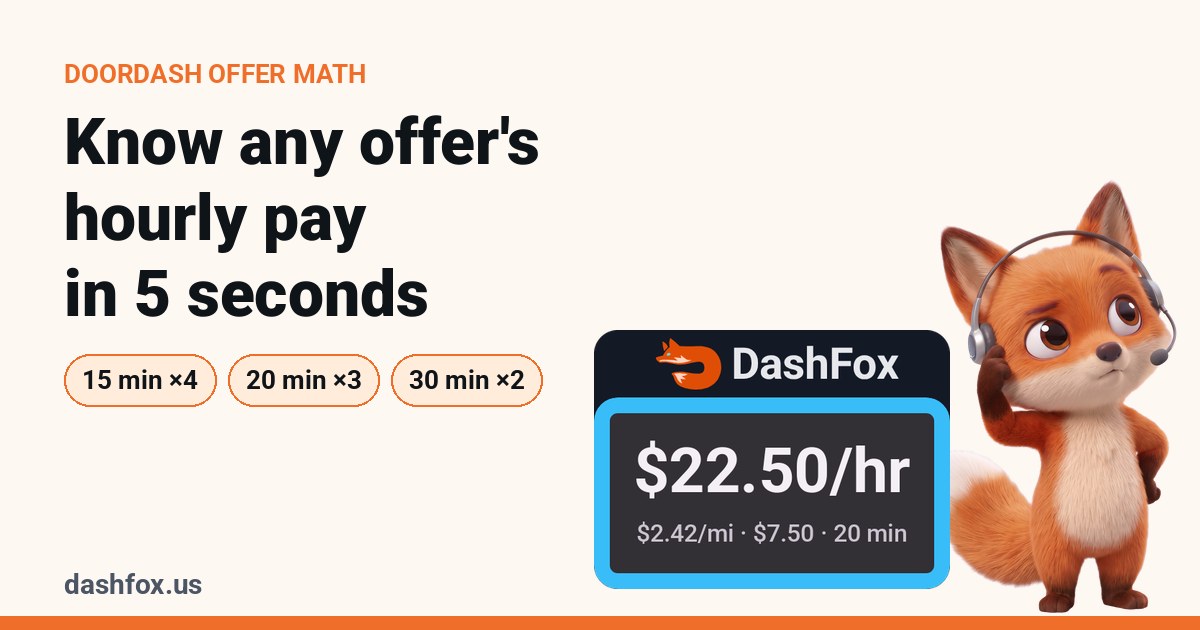 Offer math
What does the offer pay per hour?
Do the arithmetic before comparing an app's recommendation.
Sources and price-check date
Official pages checked November 8, 2026. US-facing/store prices are identified where verified; Tipper's displayed currency is unresolved. Checkout, promotion and regional terms may differ. We did not install competitors, link accounts, subscribe or benchmark their performance.
- DashFox live site and official Play listing: Android, free offer overlay and manual decisions.
- GigU Android listing and US iPhone listing: named platforms, advertised offer analysis and differing free-promotion dates.
- Gridwise Android listing and US iPhone listing: tracking/planning and Plus; quoted pricing is from the iPhone description.
- Solo rendered pricing page and FAQ: annual Basic billing, trial/Limited plan and conditional Pay Guarantee.
- Tipper product/pricing page and download and release notes: Android sideload, free recording versus paid analysis and history prerequisites.
- Stride official Android listing and manual-start help: free mileage/expenses and recording versus reminders.
- Everlance pricing and plan comparison: automatic/manual limits, Starter billing and Professional expense syncing.
- TripLog single-user pricing and Basic/Premium Pass help: free capture, reporting restriction and annual Premium charge.
- MileIQ individual pricing: 40-drive free cap, automatic capture, swipe classification and monthly versus annual-billing display.
- Para driver page and public US iPhone listing: advertised services; current DoorDash compatibility not established.
Our visual is constructed Example data. Vendor descriptions are not hands-on verification, a tax determination, a guarantee of future demand or a promise of account safety. All product names belong to their respective owners; this comparison does not imply their endorsement of DashFox.