 DashFox
Start by testing lunch and dinner. DoorDash's US guidance lists lunch from 11 AM–2 PM and dinner from 4:30–8 PM as general busy periods. [1] Those are starting windows, not a city-by-city ranking of the most profitable hours.
Keep the question simple: what did this completed shift pay per total hour online, before costs? Compare that alongside miles, idle time and any promotions. More orders or a larger bonus doesn't, by itself, answer it.
Two starting windows—not a universal timetable
Lunch: 11 AM–2 PM
One of DoorDash's general meal-time windows. [1] Try a consistent part of it that fits your availability, then record how the complete shift went.
Dinner: 4:30–8 PM
The other published meal-time window. [1] Treat it as a candidate to compare with lunch—not proof that every dinner shift beats every lunch shift.
The guidance is broad. It doesn't establish your best weekday, restaurant cluster, vehicle economics or net earnings. A schedule you can repeat safely and reliably is more useful than a supposedly perfect slot you can't actually work.
Pick a question you can test. “Does this two-hour lunch block work better for me than my usual dinner block?” is useful. “What is the single best hour for every Dasher?” isn't something this evidence can answer.
More orders doesn't always mean a better shift
Imagine these two completed shifts. They are made-up examples, not lunch-versus-dinner measurements:
Shift A: more deliveries
Eight completed deliveries, $48 earned, two hours online: $24/hr gross.
Shift B: fewer deliveries
Five completed deliveries, $50 earned, two hours online: $25/hr gross.
Example data. Neither rate subtracts vehicle costs or taxes. The delivery counts do not establish why the payouts differ.
A busy shift can still involve slow pickups, awkward drop-offs or expensive miles. Count the result of the whole shift rather than declaring a winner from the number of pings. Our recorded-shift guide also explains why a payment posting can make a running hourly figure jump without proving your decisions improved.
Use total online time, including the waiting
DoorDash distinguishes active time—engaged on an offer—from idle time, waiting for one. Together they make dash time, the period from starting to ending the dash. [2] A comparison that ignores idle time can make a slot look better than the evening you actually spent on it.
For your schedule decision, use completed-shift earnings divided by the full online hours. Record extra positioning or return travel separately too, so a distant “better” zone doesn't look free to reach. Check miles and your own vehicle budget before treating a gross rate as take-home pay.
Peak Pay is an input, not the answer
DoorDash says Peak Pay is available to select Dashers at select times; check the Promos tab for your eligible offers and their terms. In Earn per Offer it adds pay to eligible completed deliveries accepted while the incentive is in effect. In Earn by Time it adds to the active hourly rate, not every minute you are online. [3]
Before changing your schedule or driving to another zone, consider the whole trade: the applicable bonus, your time getting there, miles, and what the completed shift ultimately earns. Don't assume a large banner guarantees enough deliveries to make the trip worthwhile.
Note promotions in your shift log. A strong result during a temporary bonus is useful information, but it doesn't show that the same hours will pay the same after the bonus ends.
Hotspots show demand, not guaranteed earnings
DoorDash's Hotspots guide distinguishes currently busy areas from historical ones and explicitly says Hotspots do not guarantee orders. [4] They can help choose an area to investigate; they don't publish the hourly rate you will earn there.
You don't need to turn every change on the map into another drive. Compare a candidate area with the cost of reaching it and what you've observed there. Avoid confusing “few observations” with “bad area,” or a busy map with a reliable income forecast.
A practical test for your own market
- Choose two realistic blocks. For example, a repeatable lunch block and a repeatable dinner block in the same general zone. Keep their lengths similar where possible.
- Keep a short record. Write down the date and weekday, zone, start/end times, completed earnings, miles, idle time and promotions. Note unusual waits, events or weather without assuming they caused the result.
- Repeat comparable days. A Monday lunch versus a Saturday dinner changes more than the hour. Keep the location, vehicle and work pattern as consistent as practical and repeat the comparison over more than one week.
- Compare full-shift results and spread. Check gross pay per online hour alongside mileage and how much results vary. Don't build next month's schedule around one unusually good tip.
- Adjust one thing, then review. Try a different block or area rather than changing everything at once. Your observations can guide your schedule without proving a universal or causal “best time.”
A handful of shifts gives you a preliminary picture, not a settled market benchmark. Keep updating it as your circumstances and the offers you receive change.
If meal times don't fit your life, you can assess the offers actually available in other windows too. Our grocery guide shows why a shopping offer needs a different time budget from collecting prepared bags. Don't assume a different order type automatically solves a slow period.
Quick questions
What time is DoorDash busiest?
DoorDash's general US meal-time guidance lists lunch from 11 AM–2 PM and dinner from 4:30–8 PM. [1] That is a starting point, not a guarantee for every area or day.
Is dinner always better than lunch?
No evidence cited here establishes that for every market. Compare repeated, similar shifts using gross earnings per total online hour, miles and promotions instead of assuming the busiest-looking window pays best.
Should I dash whenever Peak Pay is offered?
Check your eligibility and the promotion's terms, then consider the full shift and any extra travel. A bonus on eligible deliveries or active hours is not a guarantee of a particular whole-shift rate. [3]
Do Hotspots guarantee I'll get orders?
No. DoorDash explicitly says they do not guarantee orders. They indicate current or historical busy areas, not a promised hourly earning rate. [4]
Keep reading
 Where to wait
DoorDash Hotspots vs Peak Pay
Read current versus historical demand, bonus units and the cost of repositioning.
 On the job
Dashing at night: a practical checklist
Assess the route, visibility and your alertness—not just the payout.
 From our own dash
Why your DoorDash $/hour jumps around mid-shift
Running averages and completed shifts answer different questions.
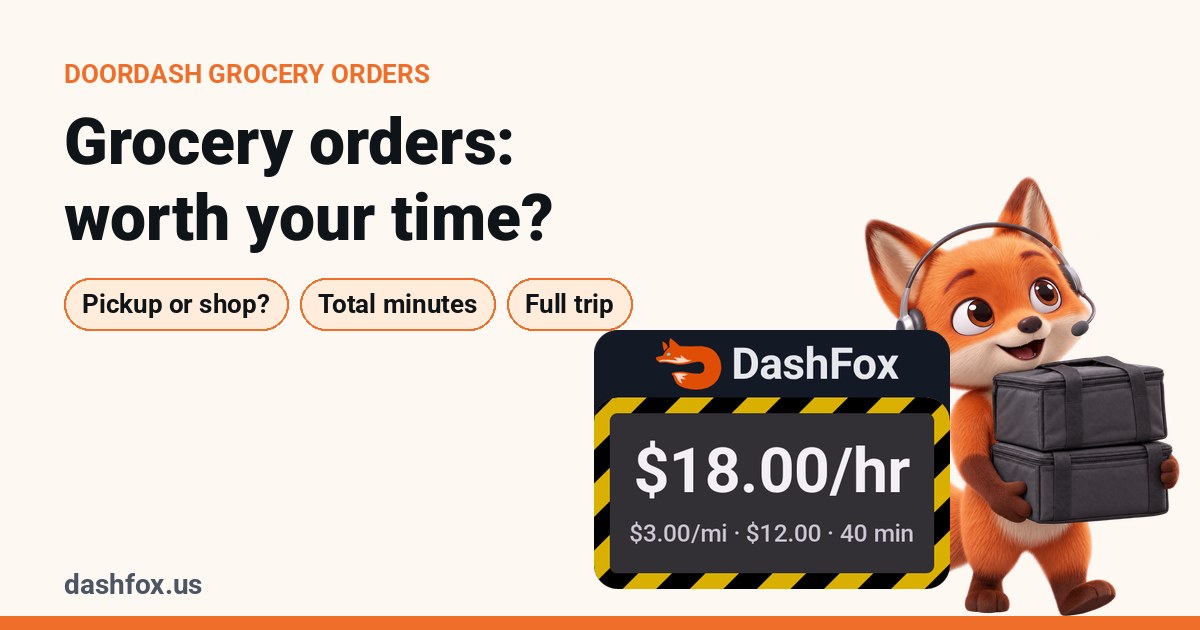 On the job
Are DoorDash grocery orders worth it?
Compare pickup and shopping work before judging the payout.
Sources
- Dasher Central: Three Steps to Maximize Your Earnings. General lunch and dinner windows and scheduling suggestion. Article dated February 19, 2025; checked November 2, 2026.
- DoorDash Help: Earn by Time mode. Active, idle and total dash-time definitions. Checked November 2, 2026.
- DoorDash Help: Peak Pay. Eligibility, acceptance timing and the distinction between Earn per Offer and active-hour incentives. Checked November 2, 2026.
- DoorDash Help: Stay busy and earn more with Hotspots. Dynamic/historical Hotspots and the no-guaranteed-orders limitation. Checked November 2, 2026.
The two shift comparisons are constructed examples, not a study of lunch, dinner or any city. Rates are gross before vehicle costs and taxes. This guide does not establish typical earnings, an earnings guarantee or a universal best day. Check the current app's availability, promotions and instructions.